Equipment History Module
This module allows you to track the history of your equipment. You can record all operations: purchase, sale, revision, trim, etc...
All recorded operations are displayed in an ordered table view from the most recent to the oldest.
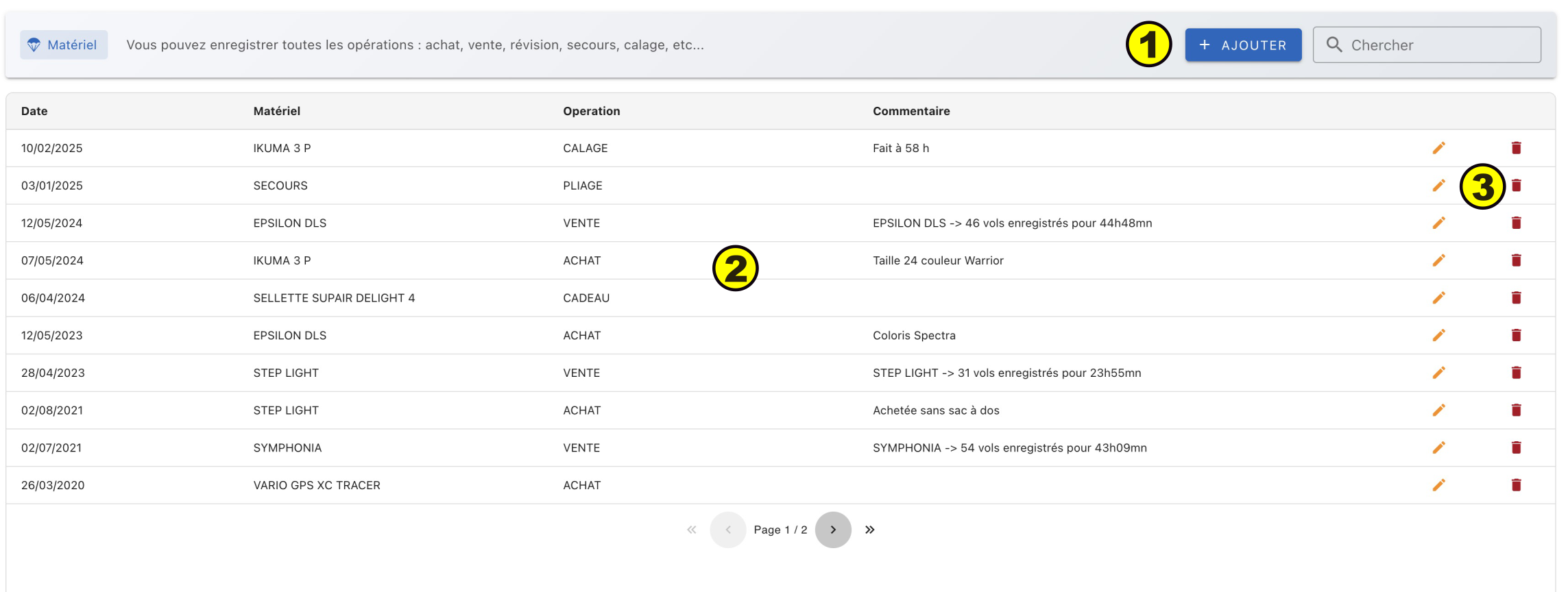
- (1) Add a new operation
- (2) List of recorded operations
- (3) Modify/delete an operation
Input
The input/modification of an operation is done in a lower window.
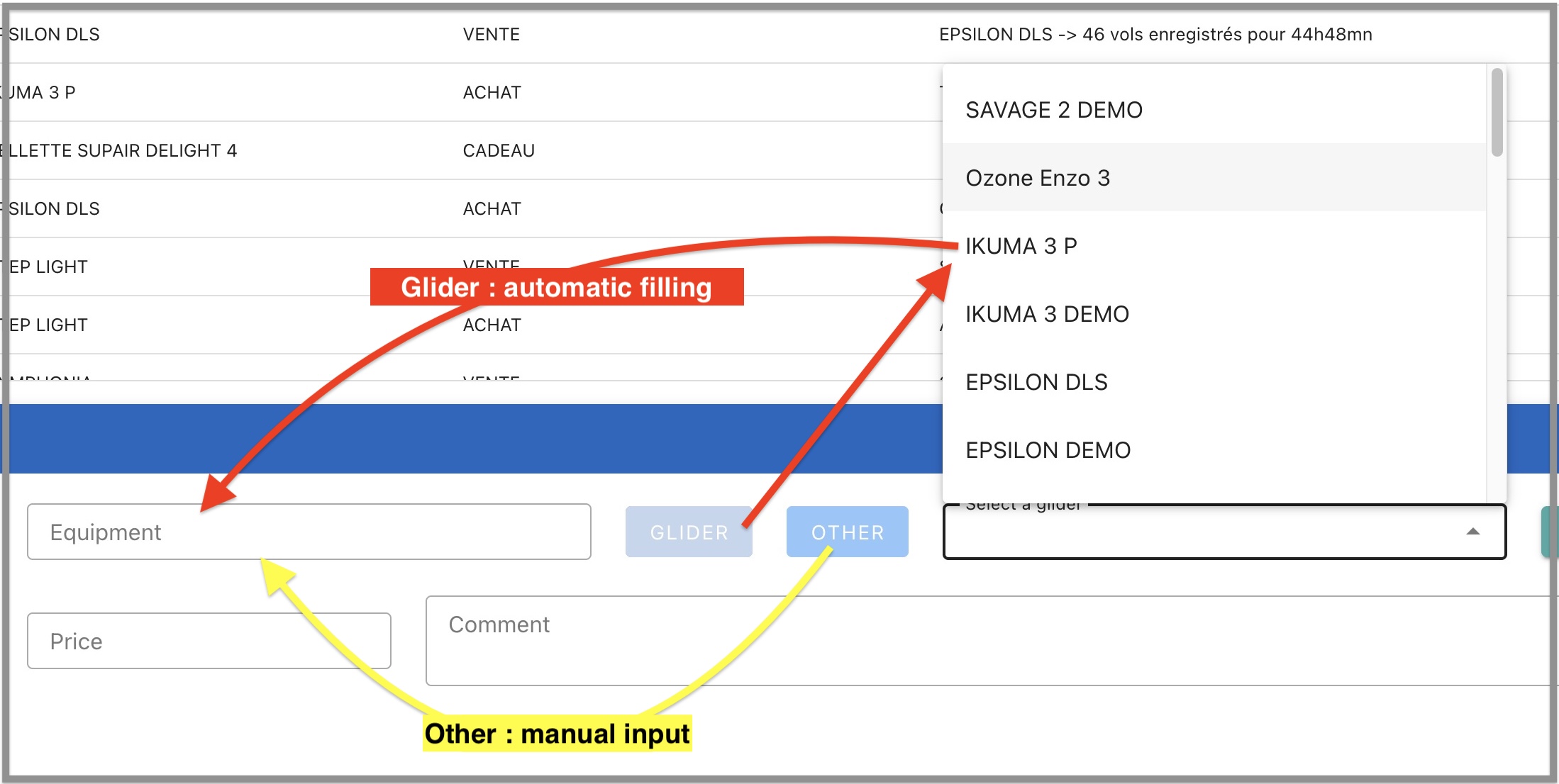
- Equipment: The input field is not used directly. You must first select between a glider or another equipment by clicking on one of the two buttons.
- Glider: Select a glider from the list of recorded gliders in the logbook. This allows you to track the history of a glider without typing errors: purchase, revision, sale. For all purposes, the number of hours of the glider registered in the logbook is pasted into the comment field. If it's a new glider for which no flight has been recorded yet, click on Other. Make sure to use exactly the same spelling when you enter the first flights with this glider in the logbook.
- Other: For other equipment. This field is free input: rescue, harness, variometer, etc...
- Operation: Free input: purchase, sale, revision, calibration, etc...
Note
Only the three fields date, equipment, and operation are mandatory input, price and comments are optional
Search
A search field is available to filter operations.