GPS Element
The GPS Element must be connected to the computer. To have it recognized by the computer, follow the instructions in the specific user manual for your model.
Upon clicking on Import / Usb GPS / Element a window with instructions appears:
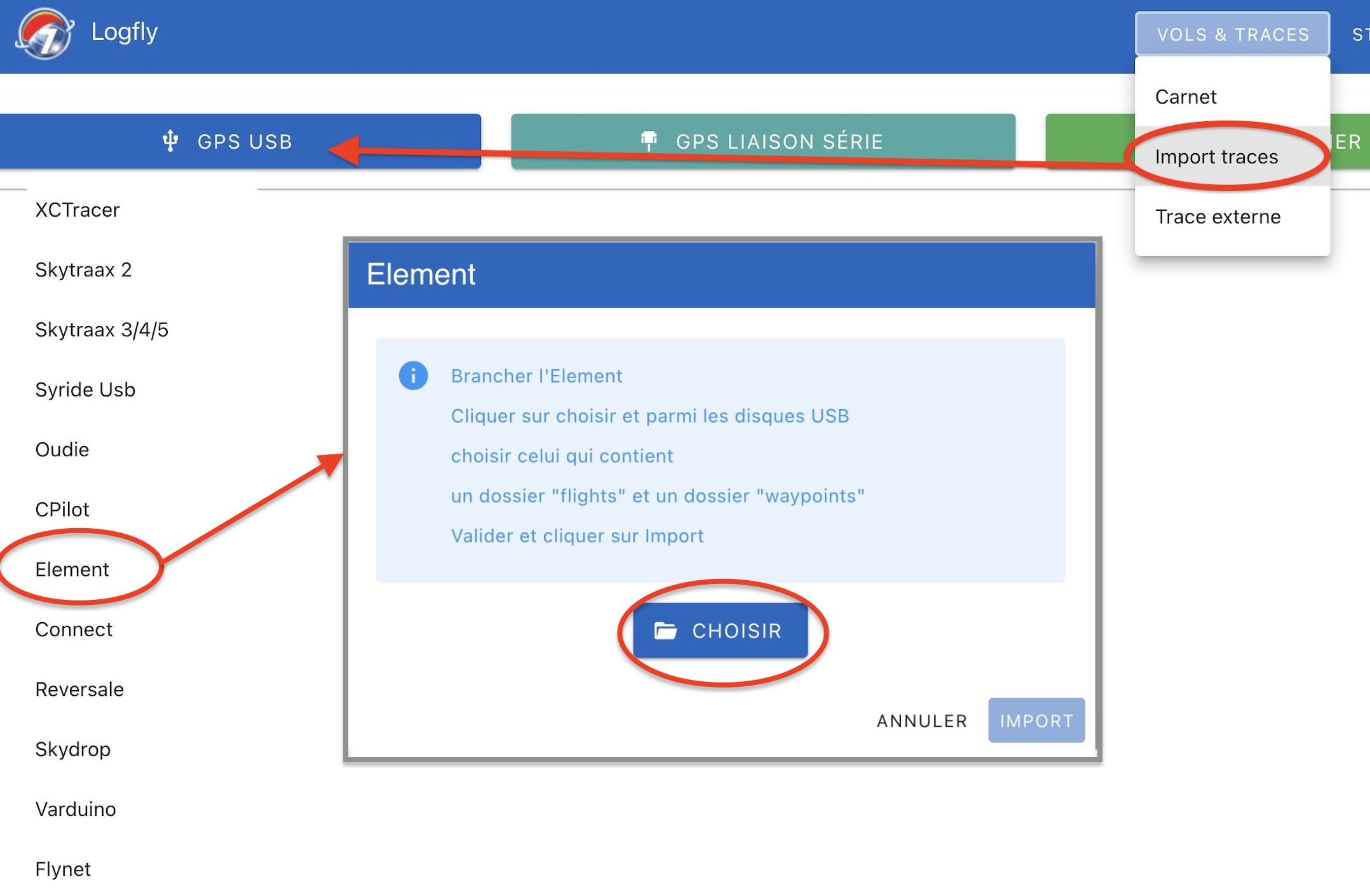
Click on the Choose button. Using the file selector, go to the Element disk. To recognize it:
- A folder named flights
- A folder named waypoints
- A folder named system
- A folder named update
Select the flights folder and allow Logfly to explore this folder.
The name of the selected folder appears in green. Click on Import to launch the exploration process. The process may take longer than expected. Although viewed as a USB key, read operations are slower than on an actual USB key. The flight log table from the GPS is displayed as in previous versions.
Import into the logbook
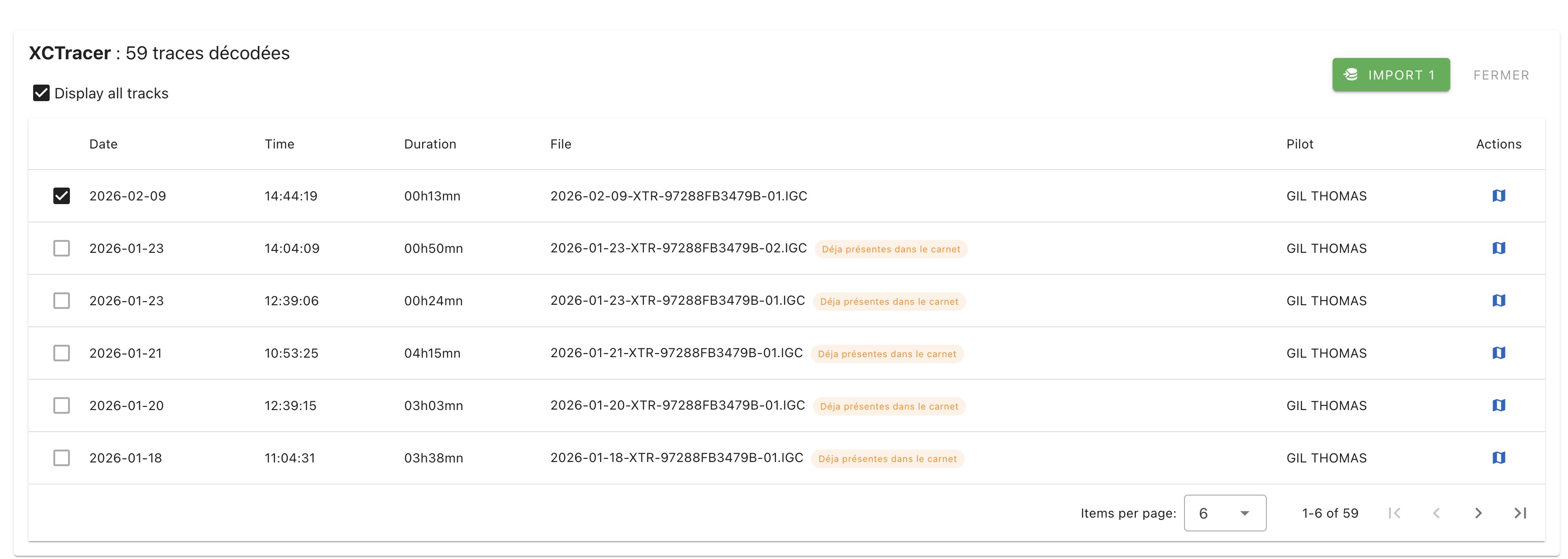
A list of flights present in the GPS is shown. Only flights not in the logbook are checked. After verification, click on the green Import button which displays the number of selected flights:
Warning
Don't forget to eject the Element disk before unplugging it