Installation
Logfly is a Progressive Web Application that can be installed on your computer to function like a traditional application.
Why install Logfly on your device?
Installing the app offers advantages over using it in a standard browser tab:
- Instant access: no need to type in the URL. Logfly appears on the home screen (mobile) or in the dock/taskbar (computer) with its own icon.
- Reading comfort: the app opens in a standalone window, without the browser’s toolbars, freeing up all the screen space.
- Performance and fluidity: thanks to the PWA caching system, the interface loads much faster, even with an unstable connection.
- Lightweight: unlike a traditional app, it takes up virtually no storage space on your hard drive or phone.
- Seamless updates: You always have the latest version of Logfly without having to go through an App Store or download .exe or .dmg files.
Installation
Installation is straightforward, but the procedure varies slightly depending on the platform.
Settings
If you have set preferences in browser application using the Utilities/Settings option, you will need to reset your preferences.
On a computer
Chrome, Edge, Brave, Opera...
- Open Logfly.app in your browser
- Look to the right of the address bar (URL): a small icon shaped like a screen with an arrow or a ‘+’ will appear (often labelled ‘Install Logfly’). In Safari, it is the icon with a vertical arrow that brings up a context menu
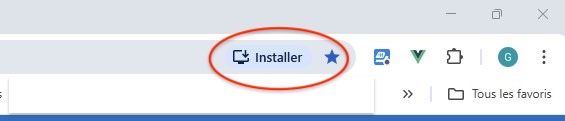
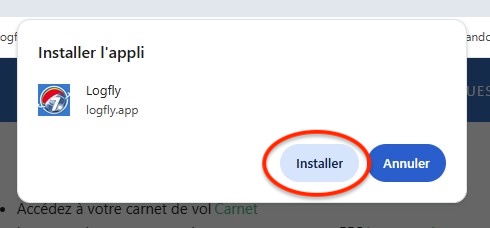
- Click on it, then click ‘Install’
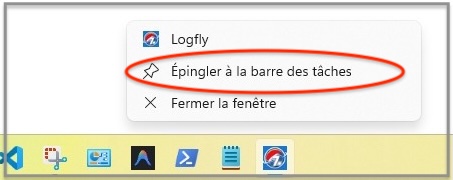
- Once installed, you can pin Logfly to the taskbar so that it opens with a single click when you start up your computer
Safari
- Open Logfly.app in Safari
- Look to the right of the address bar (URL): this is the icon with a vertical arrow that brings up a context menu. Select Add to Dock
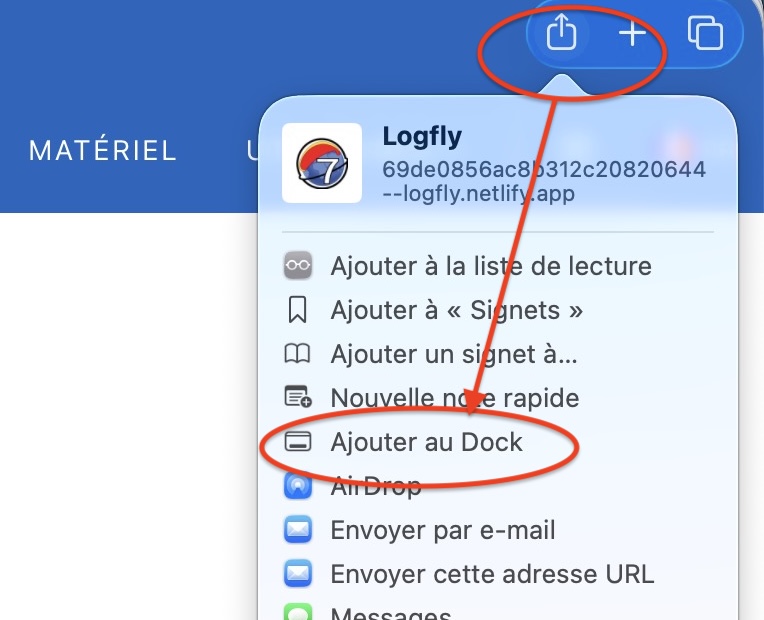
- Select Add from the pop-up options
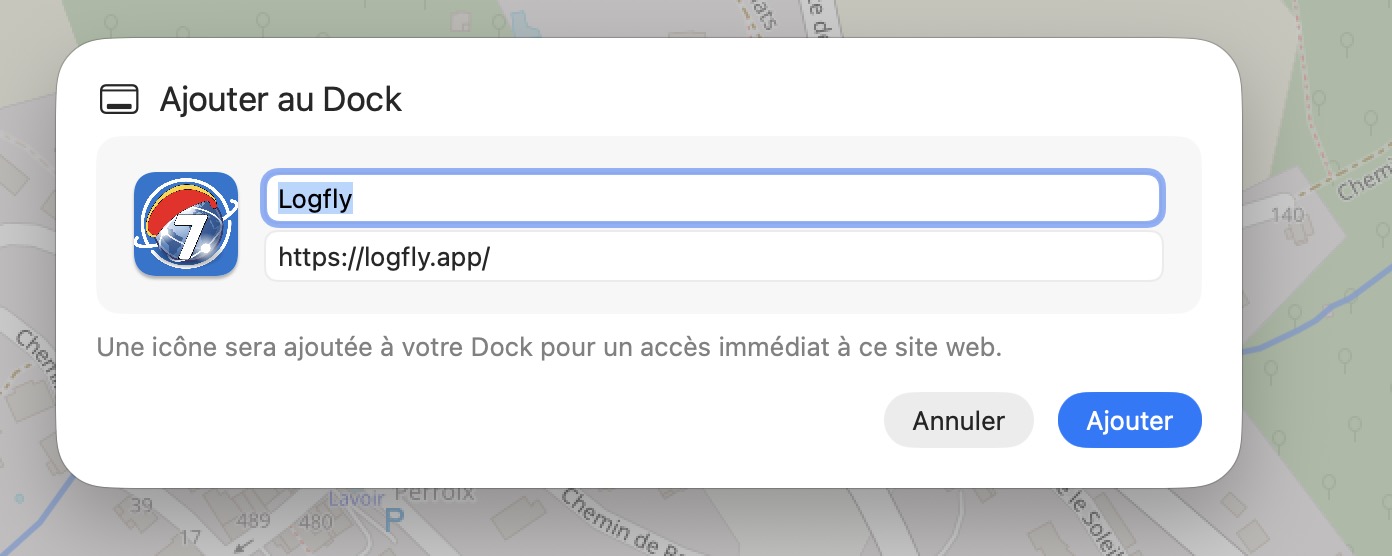
You can pin Logfly in the dock. When the app has opened, click on the option Keep in Dock
Can it be installed on a smartphone ?
It is possible to install Logfly on a smartphone, but it will not have all the features of a native app. See the Smartphone page for more details.
On Android (Chrome)
- Open Logfly.app in your browser
- A banner at the bottom of the screen may prompt you to ‘Add Logfly to your home screen’; if it doesn't appear, tap the three dots (⋮) in the top-right corner of the browser
- Select ‘Install app’ or ‘Add to home screen’.
On iOS / iPhone / iPad (Safari)
Warning : Apple only allows installation via Safari
- Open Safari and run Logfly.app
- Tap the Share icon (the square with an upward-pointing arrow at the bottom of the screen)
- Scroll down through the options and select ‘Add to Home Screen’
- Tap ‘Add’ in the top-right corner.