Windows 64 bit
LogflyGPS is only available in a 64-bit version.
Download
Available on the GitHub repository. Choose the latest version with an .exe extension and the suffix setup
Security enhancements make software installation more complicated. You will find some tips below.
Active Defender
During tests on Windows 10 out-of-the-box machines, with Defender active and all related options, we noticed that during a download with Chrome browser, security analysis failed. A download with the built-in Edge browser succeeds, even if the message "Security Analysis Execution" remains displayed.

The installation program is ready to be launched in the download folder.
Mode S
The Mode S introduced since version 1O allows only Microsoft Store applications and requires Microsoft Edge for secure navigation.
This mode prohibits the installation of an application from Internet sites. It is no longer necessarily installed by default; this depends on the manufacturer's material. Many articles explain how to exit Mode S. This article clearly explains the process. Contrary to what is written in Microsoft's official documentation, this exit is reversible.
To install Logfly, it will be necessary to exit Mode S
Installation
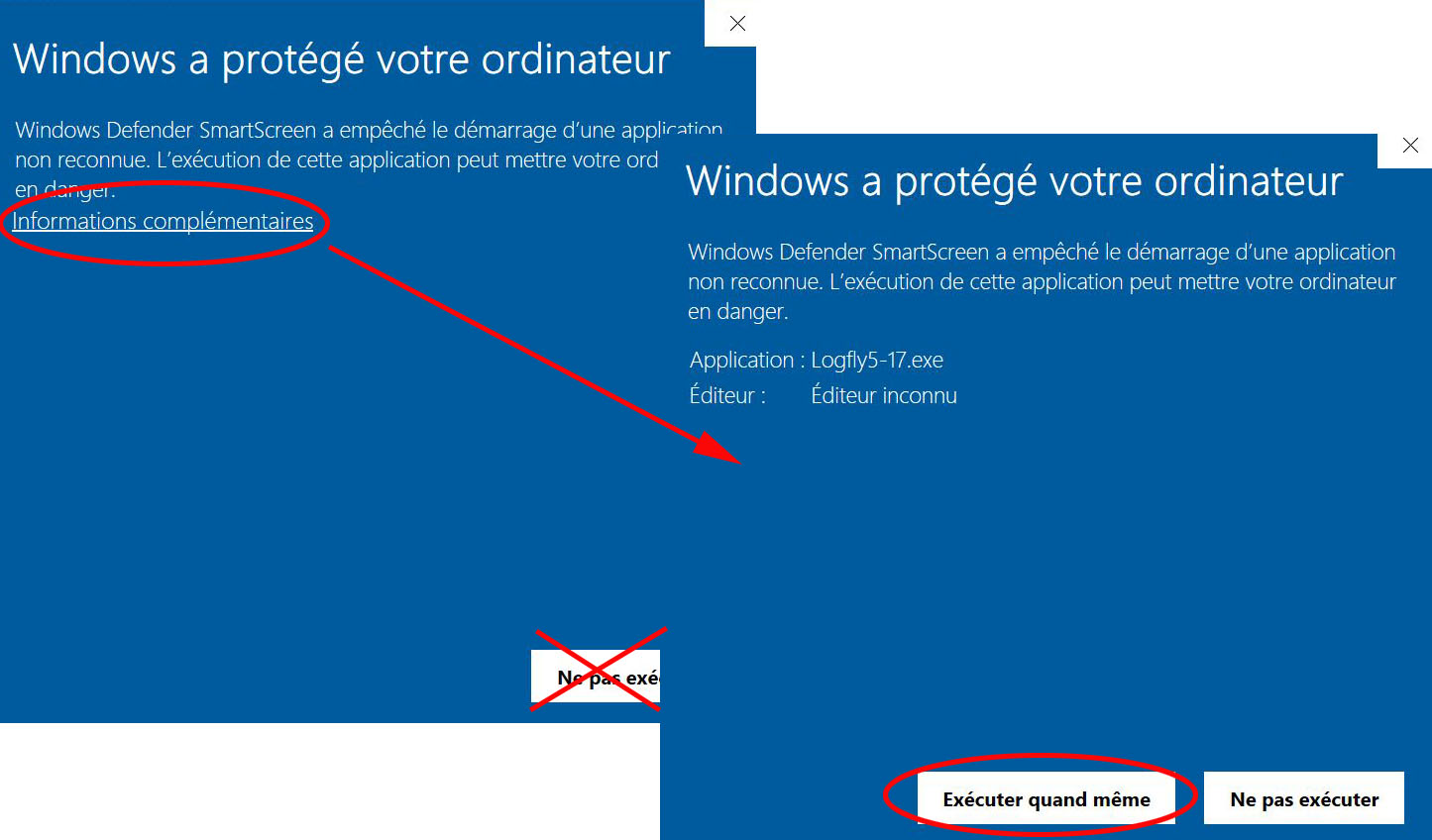
A double click on the downloaded file and we're off... There will probably be a warning about this software downloaded from the Internet, which seems very suspicious bla..bla... Depending on the Windows version, you'll just need to click to launch installation or go through several steps.
Avast
Avast will refuse to install Logfly because there is no expensive security certificate. You'll have to temporarily disable Avast to proceed with installation.
The Windows Facile site presents a tutorial on disabling Avast.
Startup
A warning window will probably appear. Avoid the Do not execute button but click on the less visible link Additional Information. In the following window, click on Execute anyway.