Import
To populate the flight logbook, it will be necessary to import GPS traces or manually fill in a form to record a flight without GPS.
The migration of Logfly to a web application introduces security constraints that will modify the process of importing flights depending on the type of GPS and the browser used. Consult the version 7 presentation for more details.
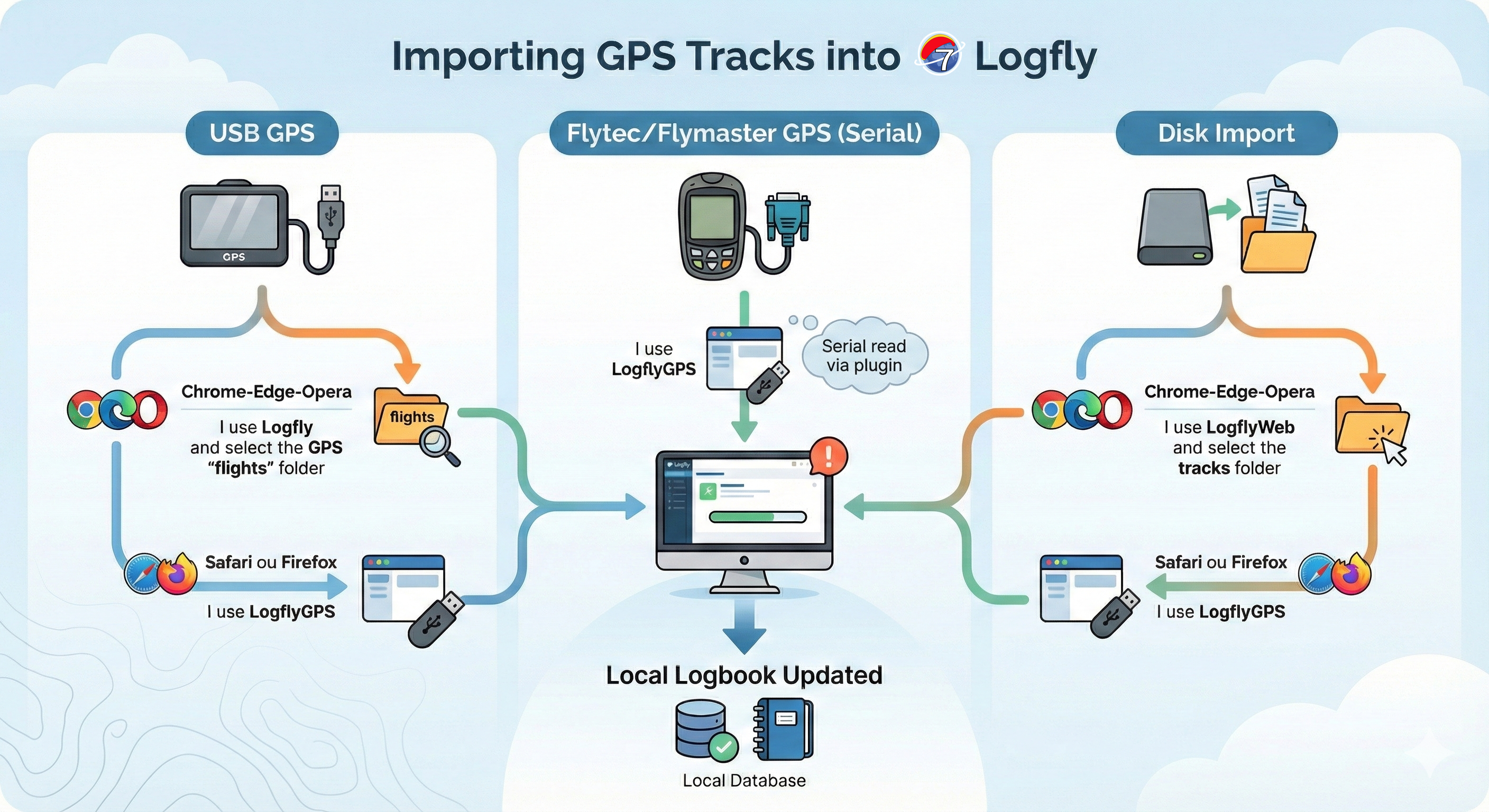
Logfly will no longer be able to perform silent exploration to recognize the location of the GPS and sort out the traces to import. The import process will depend on the type of GPS and the browser used. For USB-connected GPS, it will be easy for users of Chrome, Edge, or Opera to download the traces directly from Logfly. An authorization is simply required at first use. This authorization option does not exist for Safari and Firefox users.
For other users, it is possible to use a plugin: LoflyGPS. It's an installable program on Mac, Windows, and Linux that provides a practical and easy solution for Safari and Firefox users and serial connection GPS users. Of course, a Chrome, Edge, or Opera user can choose to use LogflyGPS.
USB-connected GPS
To signify consent, the user must designate the folder to explore. For each USB-connected GPS, an information message explains how to designate the GPS on the computer. For Chrome, Edge, or Opera users, after designating the relevant folder, simply respond "Yes" to the authorization request.
Automatic exploration is performed, and the flight logbook table for the GPS displays as in previous versions.
Serial connection GPS
For Flymaster or Flytec GPS devices, it will be necessary to use LoflyGPS or the manufacturer's software.
With the manufacturer's software, simply group all the traces into a single folder and proceed with a Folder Import.
Folder
To signify consent, the user must designate the folder to explore. For Chrome, Edge, or Opera users, after designating the relevant folder, simply respond "Yes" to the authorization request. Automatic exploration is performed, and the flight logbook table for the GPS displays as in previous versions.