Translation
Here is the translation of the Logfly documentation:
Launching
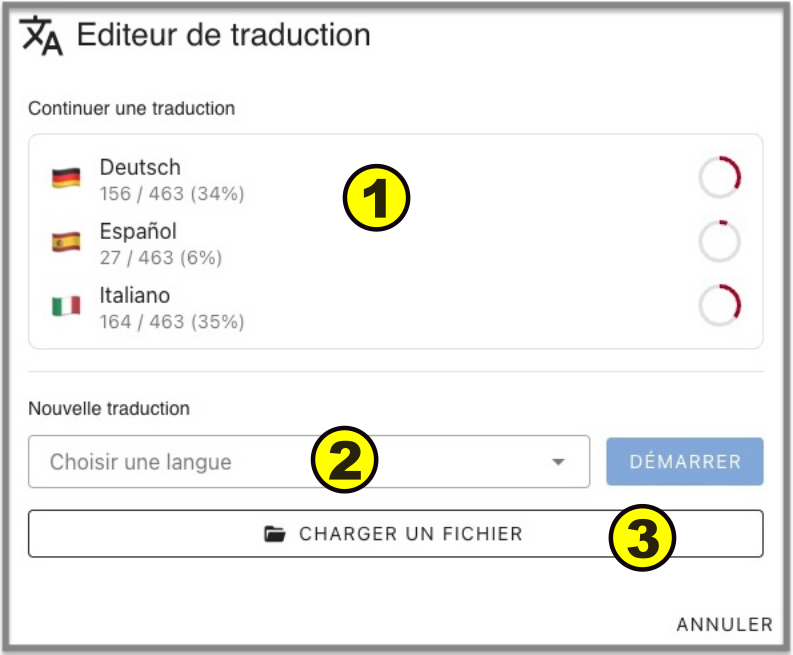
-
Languages in progress: displayed with the percentage of translated expressions. To continue translating, click on the selected language.
-
New translation: choose from the list the language to translate
-
Load a file: retrieve a saved translation file from your computer
Translation
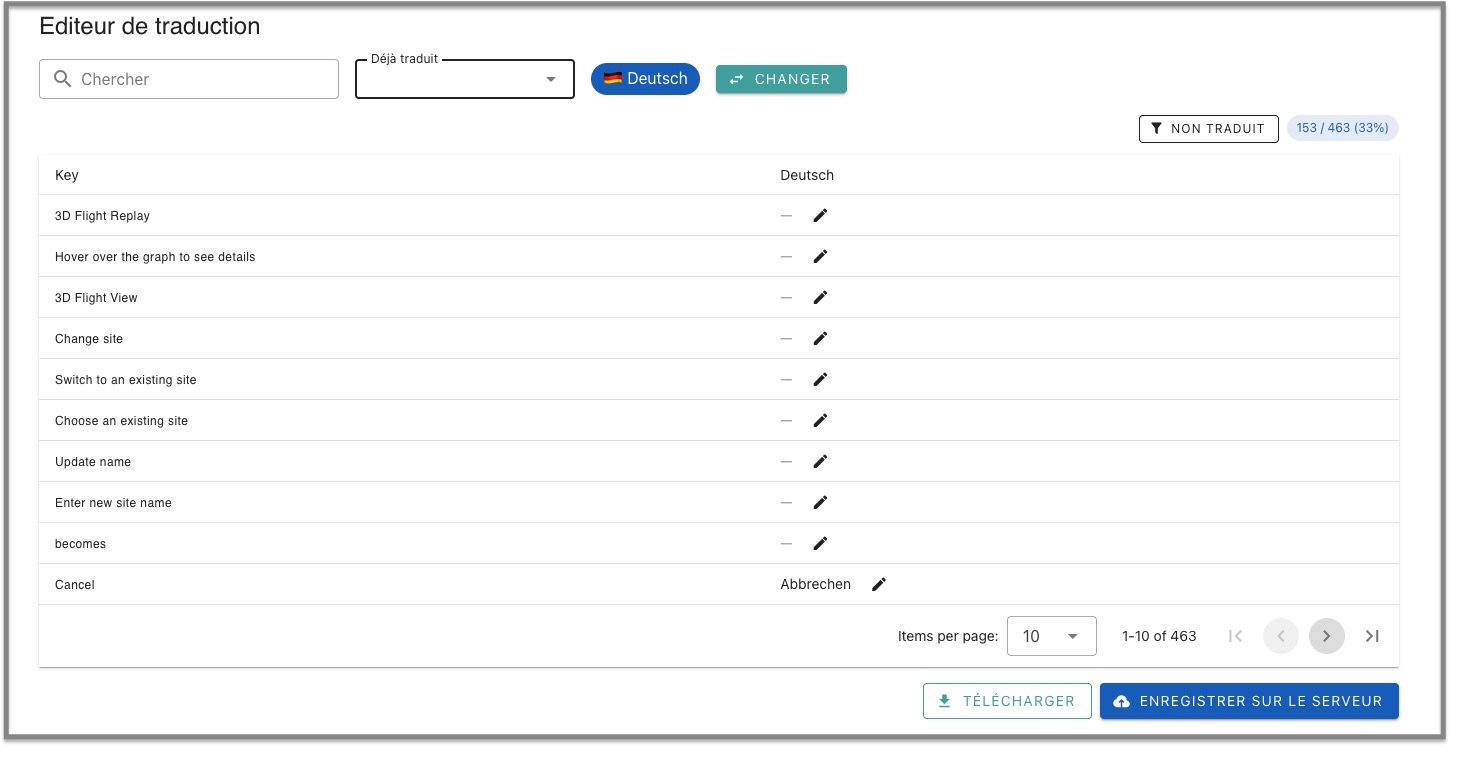
Translated expressions are presented in a table format.
To filter non-translated expressions, click on the Non translated button
To input an expression, click on the Pencil icon.
Click on Save to save the translation to your computer, click on Save to Server to send your translation to the Logfly server.
Adding a reference language
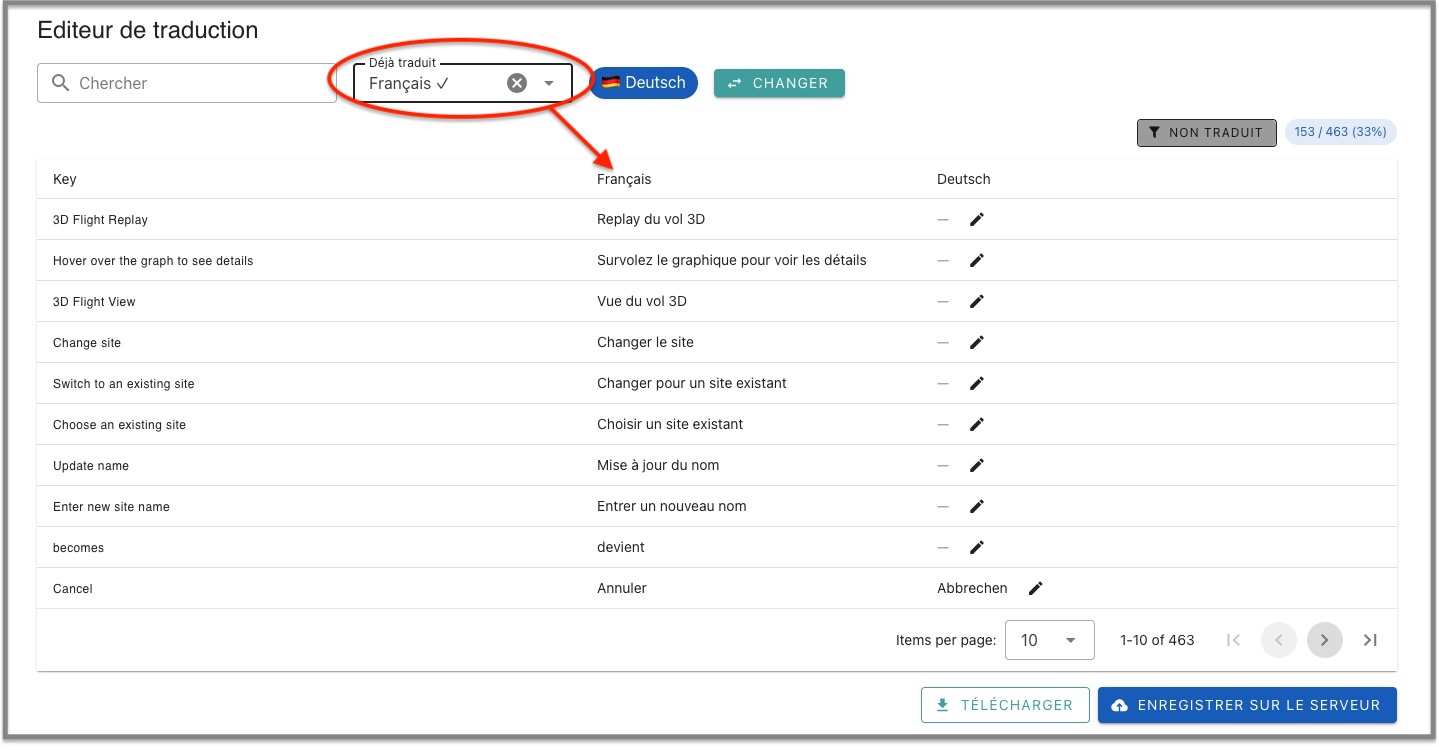
To better understand certain expressions, you can add a second language. To appear in the dropdown list Already translated, the translation of the language must be complete.