3D view
The 3D rendering is achieved using the open-source platform Cesium.
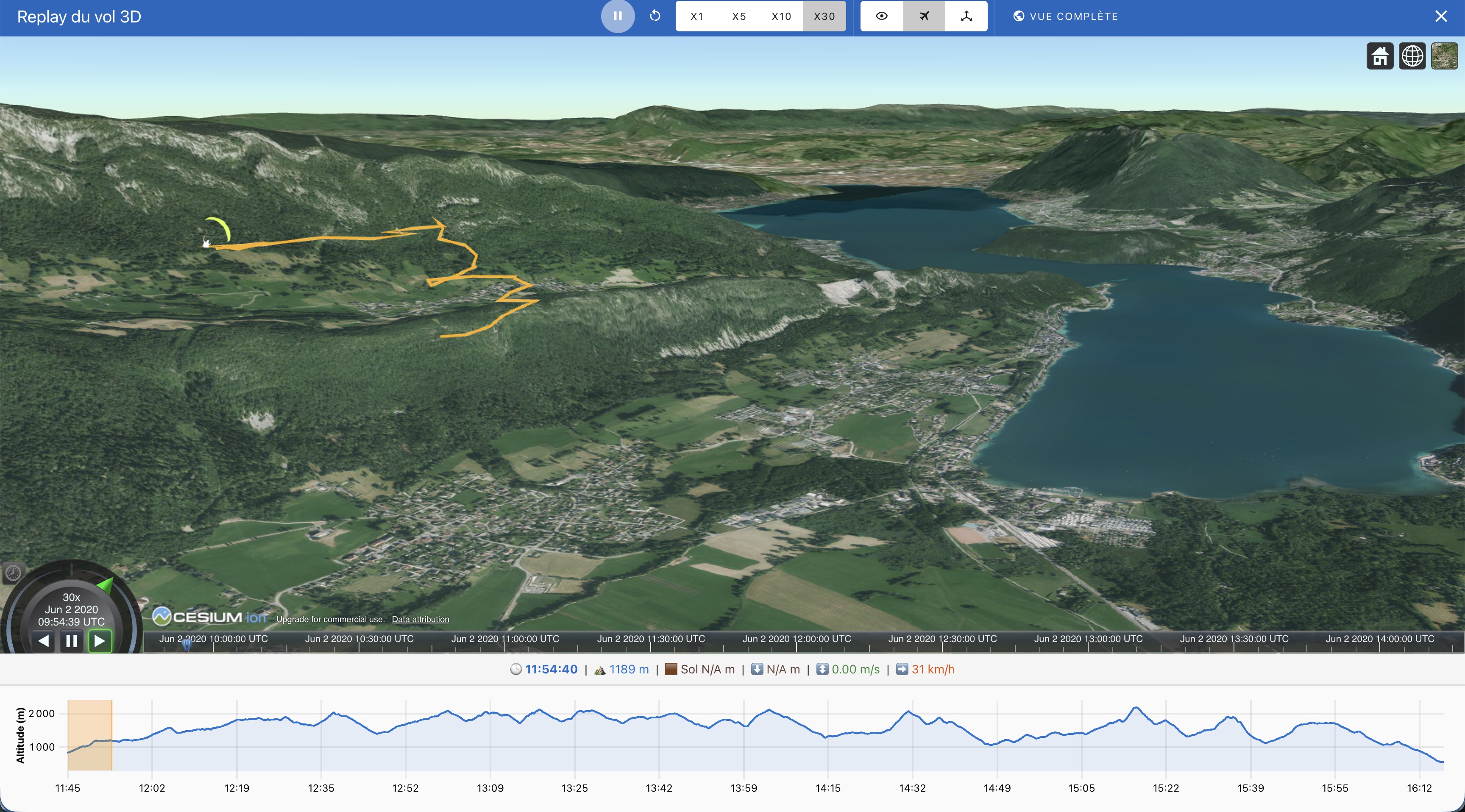
By default, the view is set to replay mode with a speed of 30. The speed can be decreased using the buttons labeled 15, 10, and 1.
Click on the play button to start the replay.
Three buttons allow you to modify the rendering angle: side view, follow-up view, and free camera.
The Cesium timeline located at the bottom of the screen allows you to navigate along the track.
Mouse Control
The mouse enables you to move and tilt the camera to explore the 3D scene.
Click with the right button and drag to zoom.
Click with the left button and drag to pan.
Hold down the Control key while clicking with the left button, then drag to tilt the camera.