External Track
The functions for viewing and analysing a GPS track are not limited to traces from the logbook. The External Track option allows you to display and analyze an external track outside of the flight logbook: a friend's trace, a recovered trace from CFD, XContest, etc.
This function can be used without creating a flight logbook
Drag-and-drop or click on the area to select a file. The accepted format is IGC (International Gliding Commission) or GPX (GPS exchange format). To be analyzed, a GPX trace must contain coordinates, altitude, and timestamp for each point.
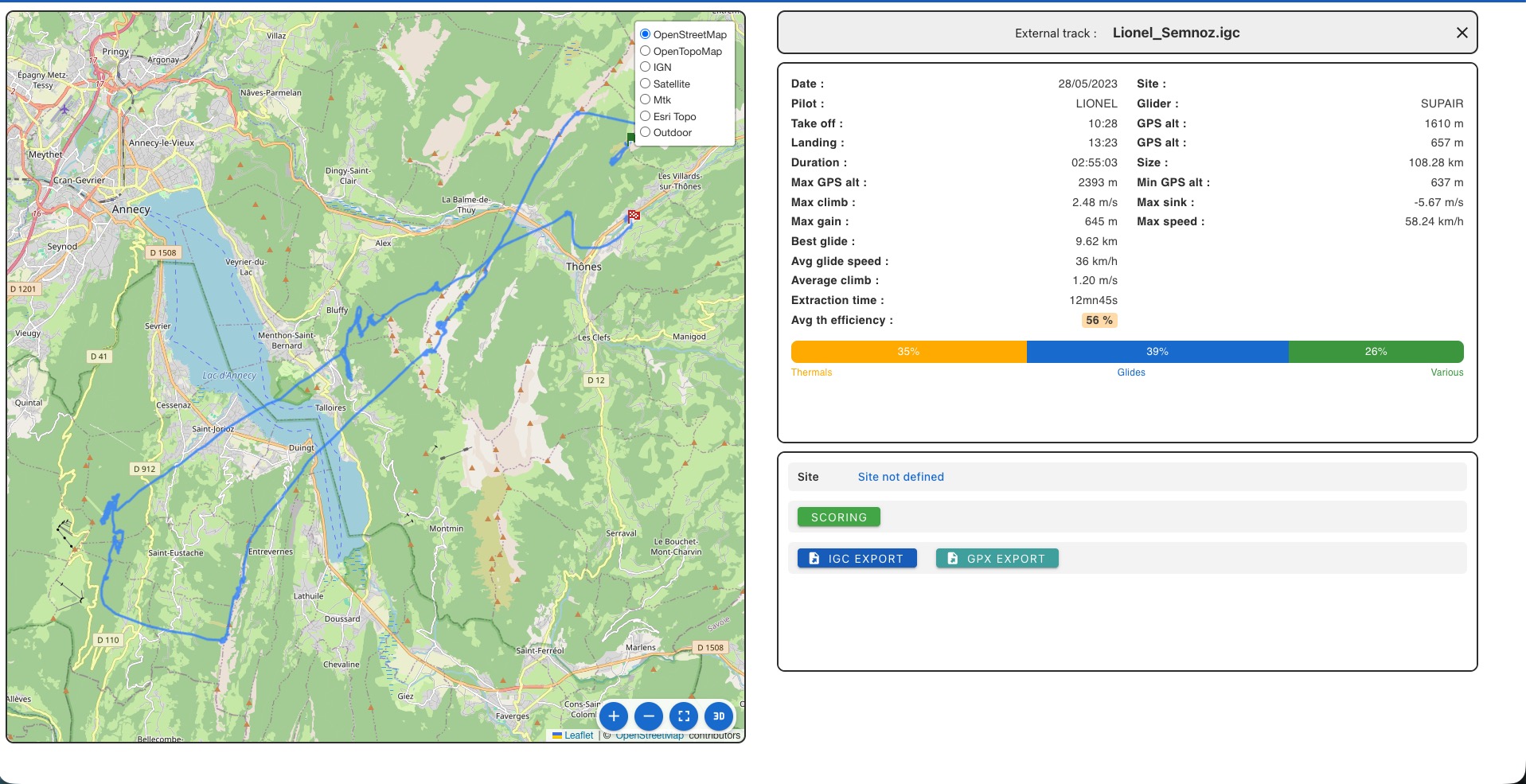
The flight analysis is displayed on the right. For details on the parameters displayed, refer to the Analysis page.
Details Window
- Scoring button: Evaluate the trace (See Scoring)
- Export IGC button: Write the trace in IGC format
- Export GPX button: Write the trace in GPX format
Flight Map
The displayed map includes two icons at the bottom right:
- Detailed Map in a new window
- 3D View in a new window