Sys PC Tools
This software is the Syride app for updating instruments and downloading flight records.
Whether you use or not the online flight logbook Syride, each flight is automatically saved on your computer during transfer. Each flight generates a folder containing: an IGC file, a KML file, a GPX file, and an SDF file. All flights are grouped in a folder called by default Parapente.
Under Windows, this folder is named Syride with the subfolder Parapente. Under MacOS, the same set is at the root of the user. To check the location of the folder, go to Sys PC Tools, click on "File > Open local directory". The path will be displayed in the file explorer (Finder on Mac).
In Logfly, clicking on Import -> Folder -> Sys PC Tools opens a window with instructions:
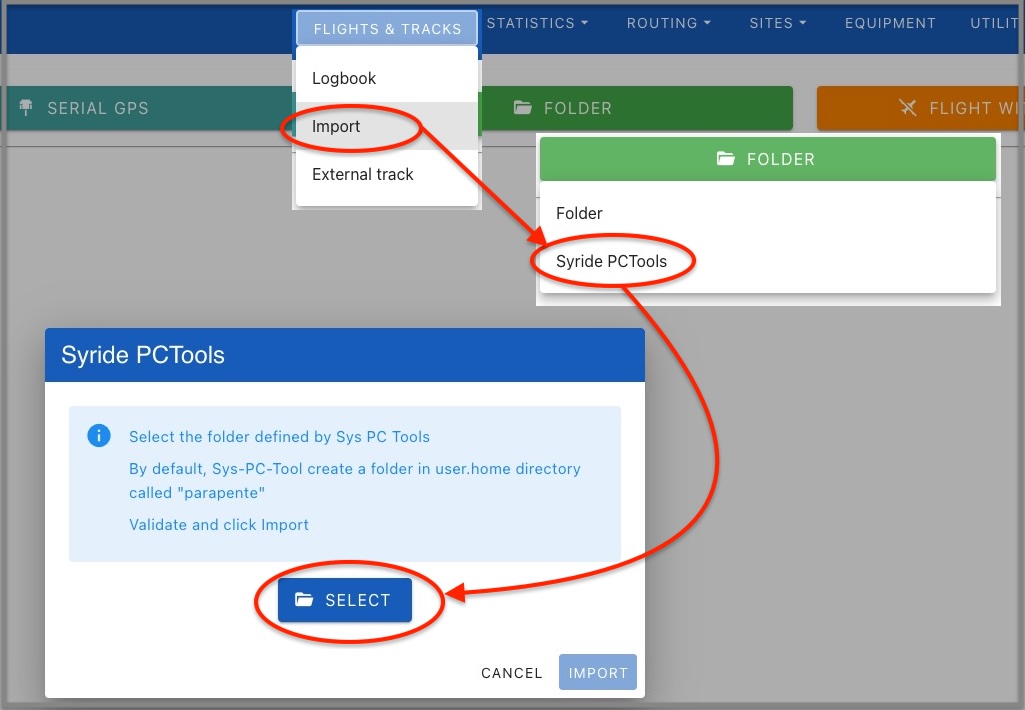
Click on the Choose button. Using the file selector, go to the Parapente folder.
Allow Logfly to explore this folder.
The name of the selected folder appears in green. Click on Import to launch the exploration.
Import into the logbook
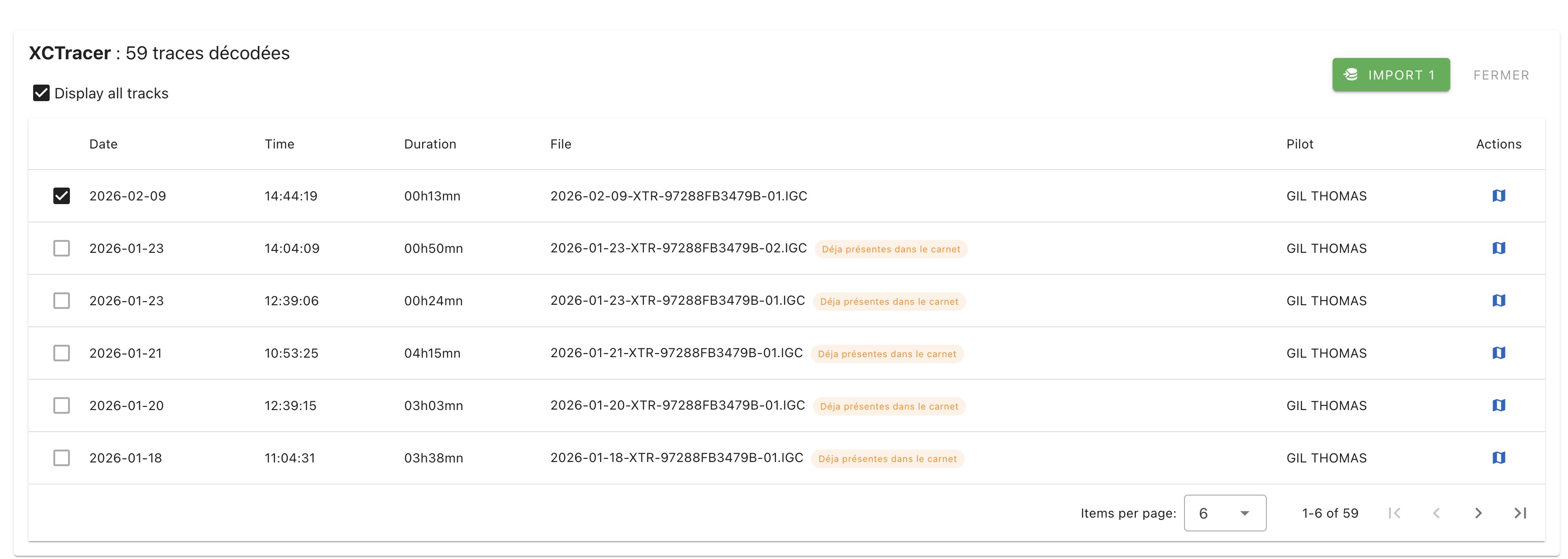
A list of flights present in the GPS is displayed. Only flights not found in the logbook are checked. After verification, click on the green Import button. It displays the number of selected flights that will be imported.