Change site
When incorporating the track into the logbook, Logfly will attempt to determine the take-off site using the coordinates of the first point. It does this in three stages:
- Searches the site file
- Not found -> Searches in Paragliding Earth database. Creates a site file with the name defined in Paragliding Earth.
- Not found -> creation of a site file with a generic name in the form Site No X (To be renamed)
Tip
- To change the site name for a single flight, select the Change site option in the context menu
- For multiple flights, tick the relevant flights and use the Change site option from the multi-select menu
Change site
The Change site option displays a window with two areas.
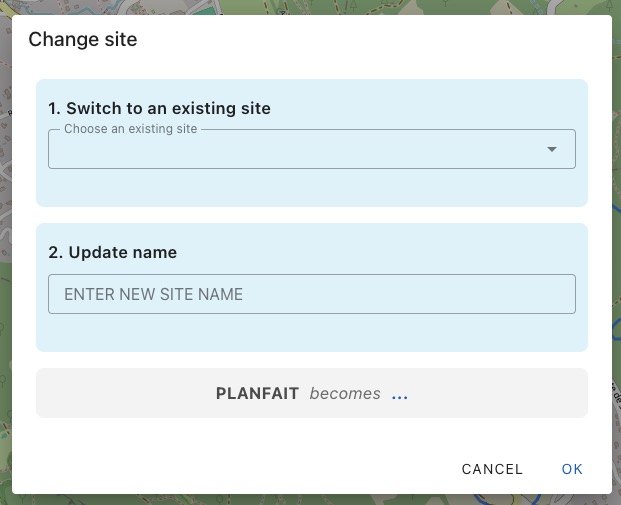
Change to an Existing Site
Choose a site from the list of stored sites in Sites. This function is useful if Logfly assigned an incorrect site.
Common cases:
- A site has two launch points very close together, for example, an east launch point and a west launch point.
- The GPS started recording the trace after the launch
After selecting the site, click on Ok.
This option is one-time and does not trigger an update of flights with the new site name.
Update Name
This is the typical case for sites automatically created by Logfly: Site No X (To Rename). You correct the name directly, and all flights with Site No X (To Rename) as their launch point will be updated automatically. If there are five flights with Site No 01(To Rename), changing it to Supersite will affect all five flights.
Renaming only affects the site name. If you want to add more details, such as country, you must use the Sites option and edit the corresponding entry.